Subtotal $0.00

In a recent consulting engagement, a client’s product listings had a sneaky data quality issue — transient duplicates. These weren’t simple copy-paste duplicates; they were records for the same ProductId with very close listing and sold-out dates (within 10 days of each other) that happened because of the multiple sales platforms. These duplicates skewed inventory counts and confused the sales team. We had to act quickly to clean up the data without losing legitimate records.
What is a duplicate in this scenario?
The tricky part is that the 10-day rule creates what’s called a transient duplicate.
** A is similar to B, and B is similar to C, but A is not directly similar to C.
** We want to treat A, B, and C as part of the same *duplicate group* (Cluster).
See the example below.
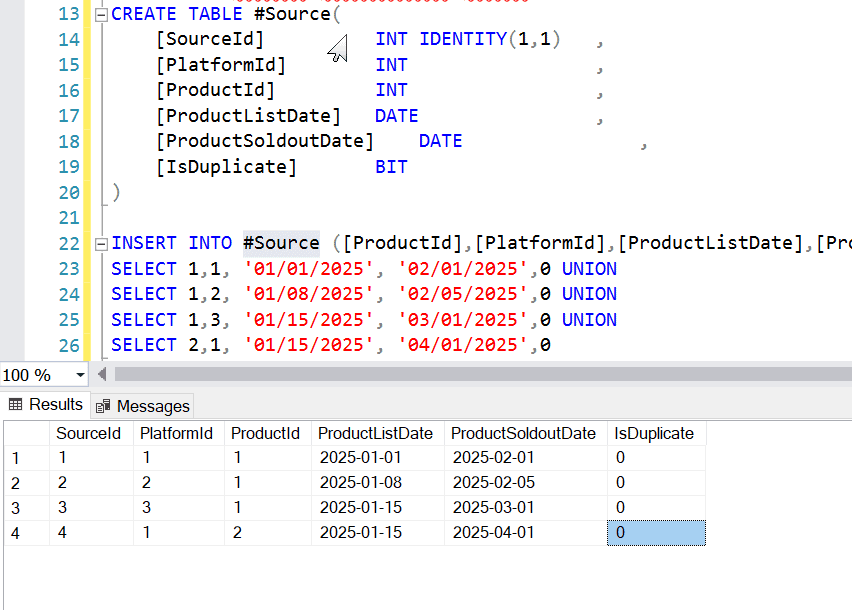
Row 1 and Row 2 are duplicates because their [ProductListDate] are within 10 days.
Row 1 and Row 3 are not duplicates — they’re too far apart.
But Row 2 and Row 3 are also within 10 days of each other.
This means even though Row 1 and Row 3 aren’t directly duplicates, Row 3 still belongs to the same duplicate group because it connects to Row 1 through Row 2. See the example below..This is a classic connected component labeling algorithm done with SQL.
***************************************************************************************************
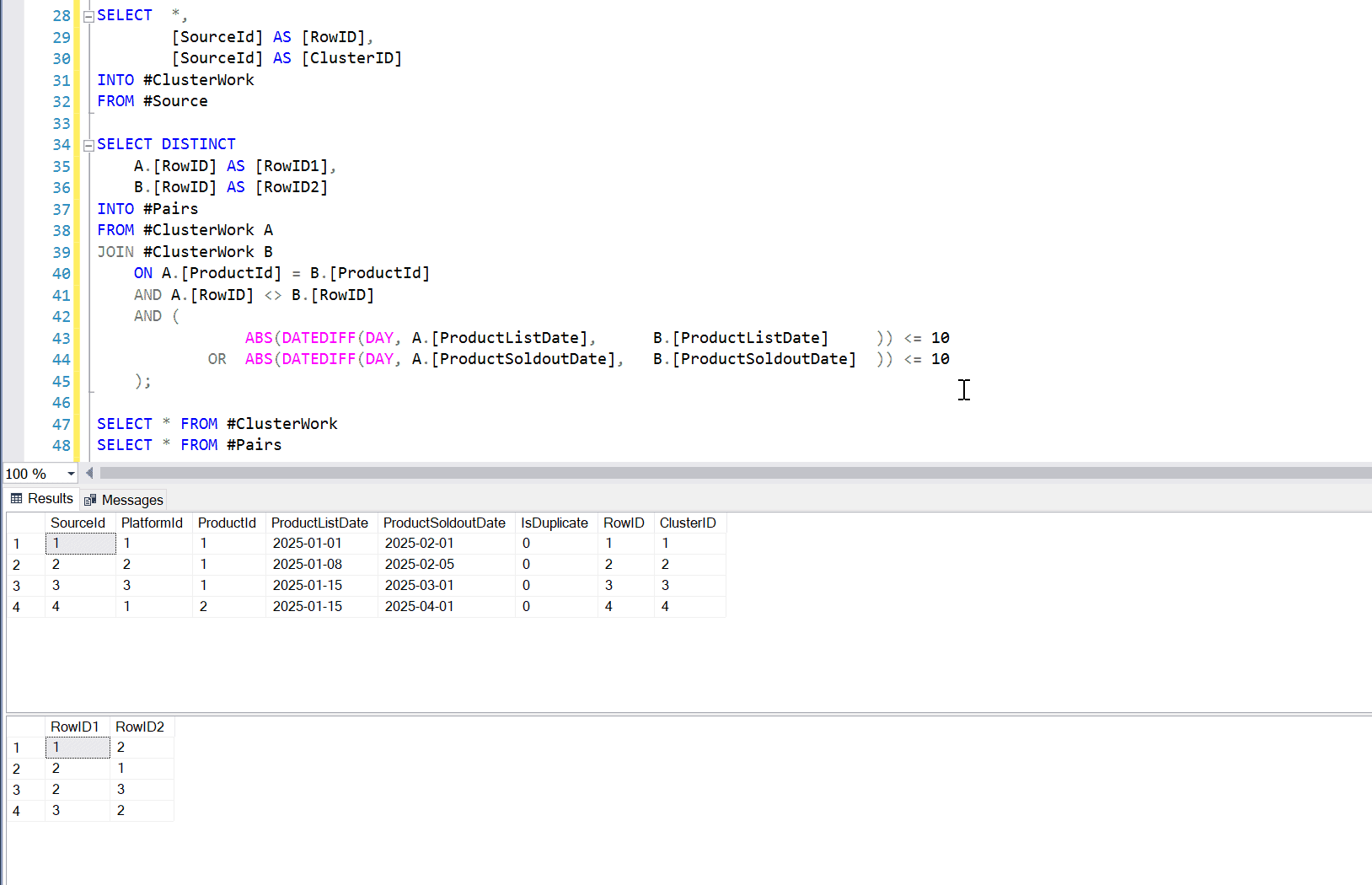
We want to treat Row 1, Row 2, and Row 3 as part of the same *duplicate group* (Cluster)
The #Pairs table captures all row pairs that are within 10 days apart in ProductListDate or ProductSoldoutDate.
However, it does not include every possible transitive connection (e.g., Row 1 to Row 3 directly).
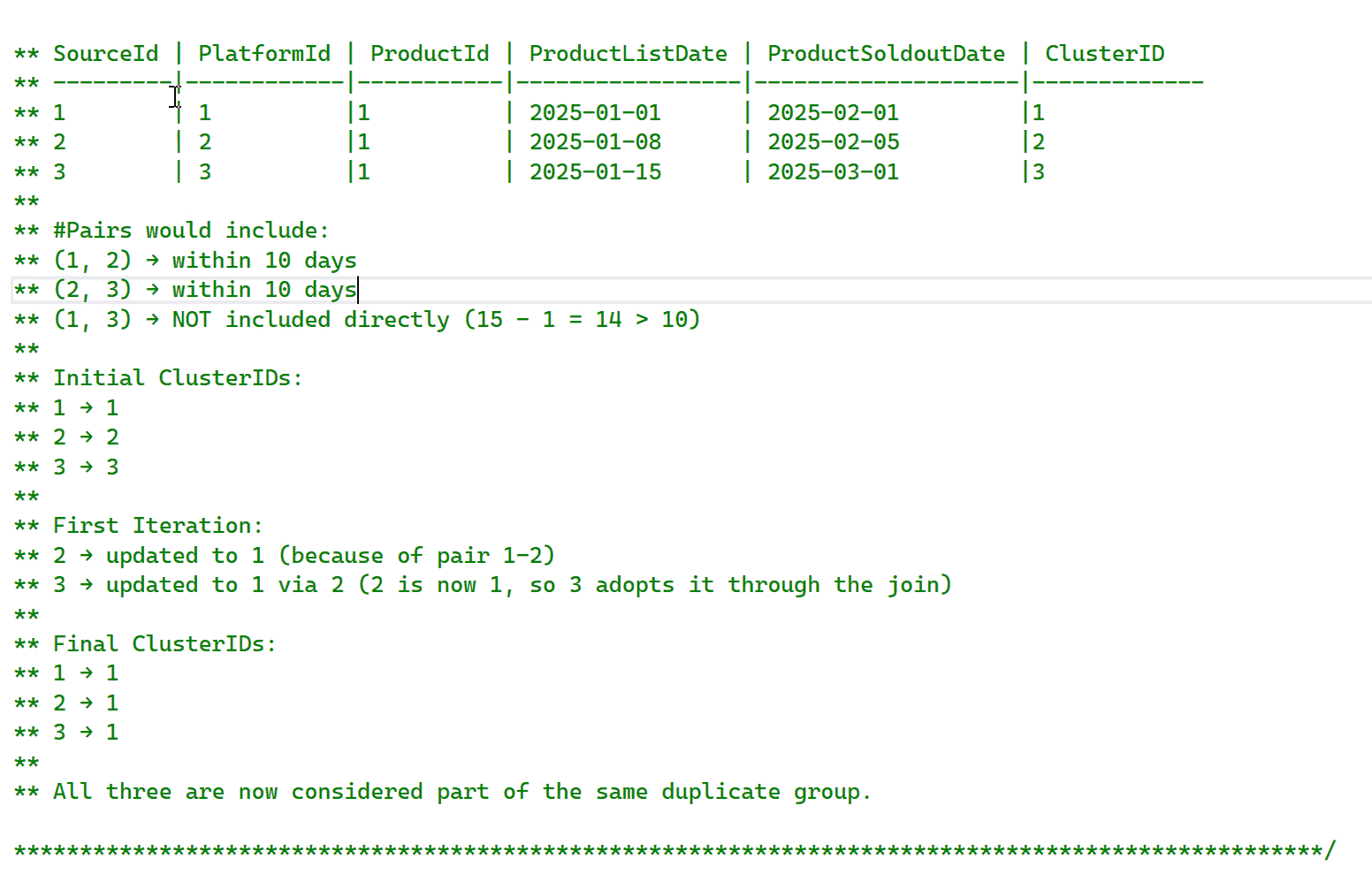
I use a loop to propagate the smallest ClusterID across all related rows until convergence.
This ensures that all related rows, even through indirect paths, end up with the same ClusterID.
** HOW IT WORKS:
** —————————————————————
** 1. Each row initially assigns its own SourceId as its ClusterID.
** 2. The loop repeatedly compares RowID1 and RowID2 from #Pairs and updates RowID2’s ClusterID to match RowID1’s ClusterID if RowID1’s ClusterID is smaller.
** 3. The loop stops when no more ClusterIDs change (converged).
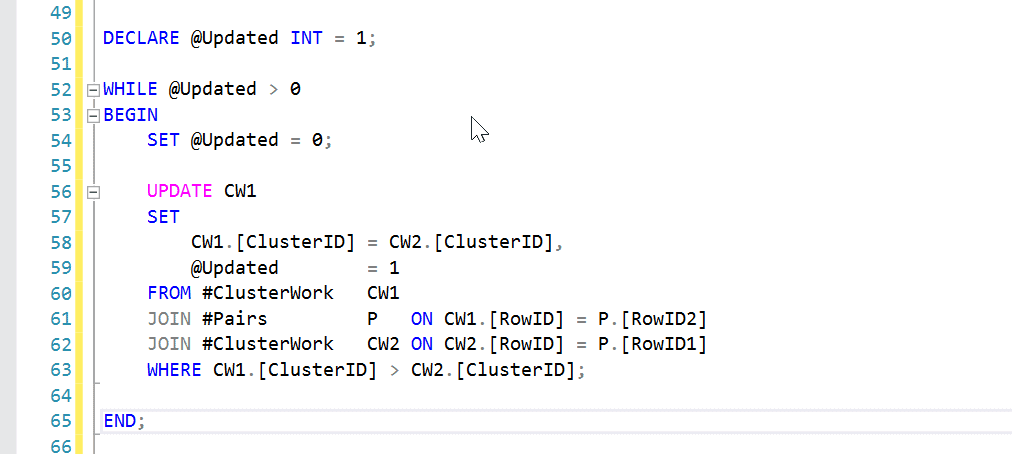
WHILE Loop explained
At this point, its easy. Use ranking and pick one as the non-duplicate and the rest is classified as duplicate rows.
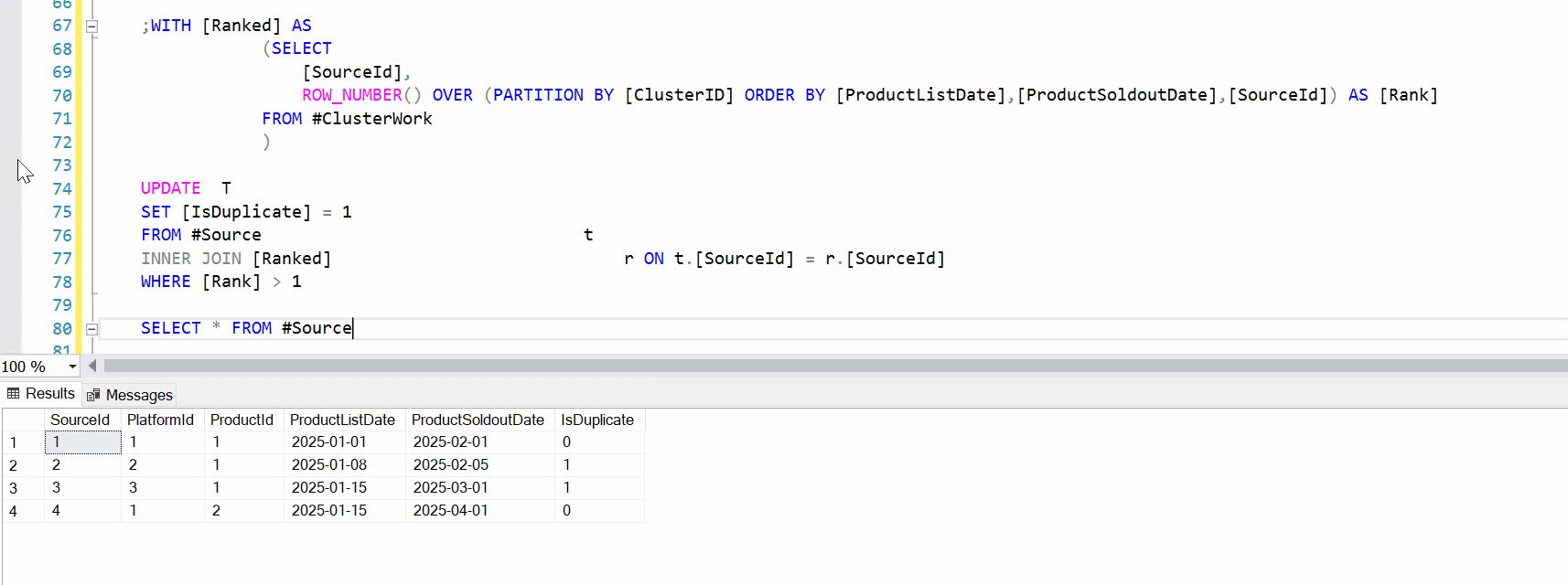
Performance tuning tip: if you’re dealing with millions of rows, consider indexing the temp table on ProductId and date, and test the query plan. Full query with the sample data is included below.
Please share your experience with deduping data or other ways of doing this.
DROP TABLE IF EXISTS #Source,#ClusterWork,#Pairs
CREATE TABLE #Source(
	[SourceId]			INT IDENTITY(1,1)	,
	[PlatformId]		        INT					,
	[ProductId]			INT					,
	[ProductListDate]	        DATE				,
	[ProductSoldoutDate]	DATE				,
	[IsDuplicate]		        BIT
)
INSERT INTO #Source ([ProductId],[PlatformId],[ProductListDate],[ProductSoldoutDate],[IsDuplicate])
SELECT 1,1, '01/01/2025', '02/01/2025',0 UNION
SELECT 1,2, '01/08/2025', '02/05/2025',0 UNION
SELECT 1,3, '01/15/2025', '03/01/2025',0 UNION
SELECT 2,1, '01/15/2025', '04/01/2025',0
SELECT	*,
	    [SourceId] AS [RowID],
	    [SourceId] AS [ClusterID]
INTO #ClusterWork
FROM #Source
SELECT DISTINCT
    A.[RowID] AS [RowID1],
    B.[RowID] AS [RowID2]
INTO #Pairs
FROM #ClusterWork A
JOIN #ClusterWork   B
    ON A.[ProductId] = B.[ProductId]
    AND A.[RowID] <> B.[RowID]
    AND (
				ABS(DATEDIFF(DAY, A.[ProductListDate],		B.[ProductListDate]		)) <= 10
			OR	ABS(DATEDIFF(DAY, A.[ProductSoldoutDate],	B.[ProductSoldoutDate]	)) <= 10
    );
SELECT * FROM #ClusterWork
SELECT * FROM #Pairs
DECLARE @Updated INT = 1;
WHILE @Updated > 0
BEGIN
	SET @Updated = 0;
	UPDATE CW1
	SET
		CW1.[ClusterID] = CW2.[ClusterID],
	    @Updated		= 1
	FROM #ClusterWork	CW1
	JOIN #Pairs			P	ON CW1.[RowID] = P.[RowID2]
	JOIN #ClusterWork	CW2 ON CW2.[RowID] = P.[RowID1]
	WHERE CW1.[ClusterID] > CW2.[ClusterID];
END;
;WITH [Ranked] AS
			(SELECT
				[SourceId],
				ROW_NUMBER() OVER (PARTITION BY [ClusterID] ORDER BY [ProductListDate],[ProductSoldoutDate],[SourceId]) AS [Rank]
			FROM #ClusterWork
			)
UPDATE  T
SET [IsDuplicate] = 1
FROM #Source t
INNER JOIN [Ranked] r ON t.[SourceId] = r.[SourceId]
WHERE [Rank] > 1
SELECT * FROM #Source